


Mango: Lector de Manga Español
4.2104.00 Reviews
App Specs
- Version
- 2026.0.3
- Updated On
- License
- Free
- Downloads
- 1,000,000+
- Developer
- JeguLabs
- Categories
- Comics
- Platform
- Android, iOS
Screenshots


 Analysis by AppCompare
I read manga on my phone in the small gaps of the day: a few pages while waiting for a ride, a chapter before bed, or a longer stretch when I have a quiet evening. That kind of casual routine is where Mango: Lector de Manga Español makes sense. It is a comics app from JeguLabs, aimed at Spanish-language manga readers, and its appeal is the chance to keep reading without turning every session into a hunt across different sources.
My main question with any free reading app is not simply whether it has a large-sounding library. I want to know whether it fits the way I actually read, what the free option means in practice, and where its compromises might become irritating. Mango looks most promising for readers who prefer Spanish and want a phone-first way to browse and follow manga, though I would not treat it as a perfect replacement for every other reading option.
What the free option is worth
Mango is free to install, so it is easy to try without paying upfront. The app also offers in-app purchases, with individual items priced from $1.99 to $49.99. That range matters: free access and paid extras are not the same thing, and I would check what a purchase actually unlocks before spending. I would not assume that paying is necessary just to decide whether the reading experience suits me.
The app has a Teen content rating, which is useful context for readers and families, but it is not a substitute for checking a particular series before handing over a device. Manga covers a wide range of subjects and tones. If I were choosing something for a younger reader, I would look at the individual title rather than relying on the app’s overall age label.
There is a clear audience for a Spanish-language manga reader: someone who would rather browse and read in Spanish than switch between translated editions or use a general comics app with a less focused catalog. Whether that focus is valuable depends on the titles you want and how you prefer to read them. I would try a few chapters, test the controls, and see how often I return before considering any optional purchase.
Getting Started with Mango
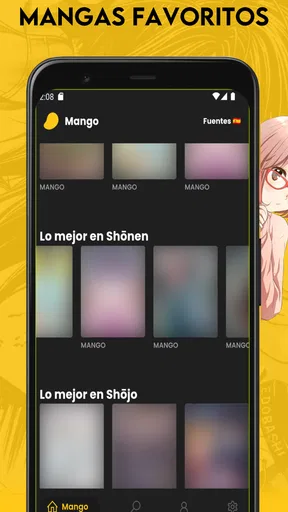
First things first, downloading the app is a breeze. Once you’ve got it on your device, you’re greeted with an interface that’s both sleek and intuitive. No frills, no fuss. Just straightforward access to a vast library of manga. The home page showcases the latest and most popular mangas, giving you a head start on what’s trending.
Exploring the Manga Library
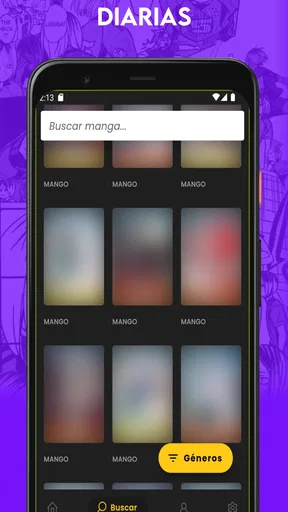
The library is where Mango: Lector de Manga Español truly shines. You’ve got a plethora of genres at your fingertips, from shonen and shojo to seinen and josei. Whatever your manga preference, Mango has something to offer. I was particularly impressed by the app's search functionality. You can easily find manga by title, author, or genre, making it incredibly user-friendly.
Worth Reading Before You Choose

Flipboard Shows What News Apps Must Do Beyond the Feed

Switching to Android Auto Means Rethinking Your Driving Routine

Google Calendar Makes a Crowded Week Easier to Manage

Ludo King Makes the Most of the Minutes Between Plans

Baby Panda World Brings Quick Play to Modern Phones, but Its Game Library Feels Busy

ESPN’s Live Game View Makes Following Close Games Easier
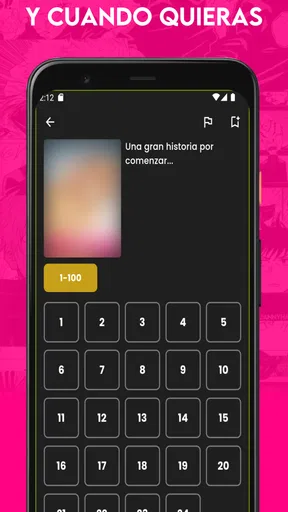
One of the standout features is the ability to download manga for offline reading. This is a lifesaver when you’re on the go or stuck without Wi-Fi. Plus, the app updates regularly, ensuring you never miss a new release or chapter.
Reading Experience
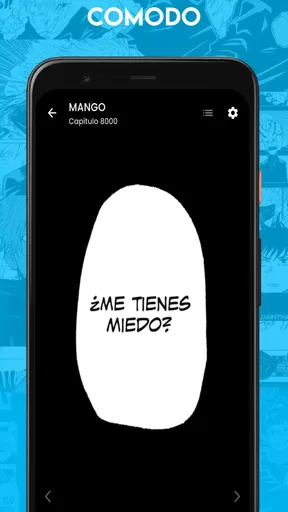
The reading experience is where Mango scores big points in my book. The app allows for both portrait and landscape viewing, which is great depending on your reading style. Zoom in and out with ease, and flip through pages with just a swipe. The images are crisp, and the text is clear, ensuring you don’t miss a single detail.
I also appreciate the night mode feature. Reading manga late into the night without straining your eyes? Yes, please! It’s a small detail, but it makes a big difference in the overall reading experience.
User Interface and Design
The design is minimalistic, which is refreshing. No clutter, just pure, unadulterated manga goodness. The app’s layout is intuitive, making it easy for even the most tech-challenged among us to navigate. The font is readable, and the color scheme is easy on the eyes.
If I had to nitpick, it would be the occasional ad pop-ups. They’re not overly intrusive, but they can be a tad distracting when you’re deep into a gripping manga chapter. However, there’s an option to remove ads via a small payment, which is worth considering if you’re a regular user.
Community and Interaction
One feature that sets Mango apart is its community aspect. You can interact with other manga fans, discuss plot twists, and even share recommendations. It’s a great way to connect with fellow readers and discover new manga that might not be on your radar.
The app also includes a favorites list, allowing you to keep track of your beloved mangas and receive notifications on new updates. This feature is a godsend for someone like me who tends to forget where I left off in a series.
Choosing it over other ways to read
Compared with a general comics reader, Mango’s strongest distinction is its Spanish-language manga focus. A broad reader may suit someone who wants comics from several regions or publishers in one place; Mango is more appealing if manga is the priority and Spanish is the language you want to read in. A digital bookstore can be a better fit if you want to buy specific volumes and keep a clearly defined collection, while Mango is easier to sample when you want to browse casually.
That trade-off is worth keeping in mind before building a reading routine around it. Catalog breadth on paper does not guarantee that the particular series I want is available, and a favorite title’s presence does not tell me how quickly its chapters appear. I would search for a few series I already follow, then try one unfamiliar title suggested by the app. That gives a more useful sense of its range than judging it by the home page alone.
A routine that makes the features useful
For a realistic commute, I would pick the next chapter while connected to Wi-Fi and download it before leaving. Once offline, I could read without depending on a steady connection. The practical tip is to prepare more than one short chapter if I expect delays, but not to download a huge backlog automatically: choosing only what I expect to read keeps the routine manageable and avoids turning a quick session into library housekeeping.
Favorites and update notifications can help with ongoing series, but they work best when I use them selectively. I would favorite the titles I am actively reading rather than every interesting cover, then let the update alerts bring me back when a followed series changes. For a long list, notifications can become noise instead of help. If I lose track of a story, the favorites list is also a simple place to start, rather than relying on memory or scrolling through the whole catalog.
The search tools invite a useful two-step approach: look up a known title first, then browse by genre when I want something new. Searching by author can help when I remember who made a series but not its exact title; genre browsing is better for exploring a mood, though it may take more trial and error. I would not expect those routes to replace recommendations from people whose taste I know, but the community discussion can offer another path to discovery.
Where the compromises show up
Ads are the most obvious interruption described in my experience. Even an occasional pop-up can break the rhythm of a suspenseful page, especially when I am reading in short bursts and want to get straight back into the story. The option to remove ads may be worth considering for frequent readers, but I would weigh that against how often the interruptions actually affect me rather than paying on day one. The listed purchase range covers different in-app items, so I would read the purchase screen carefully and avoid assuming every item relates to ad removal.
There is also a difference between having offline reading and having every part of the app available offline. I would prepare chapters before travelling and treat browsing, community interaction, and update checking as things to do when connected. That is a sensible workflow for any reader who expects to be underground, on a flight, or in a place with unreliable service; it also prevents an avoidable disappointment when a newly discovered series cannot be opened on demand.
Likewise, the range of genres is helpful, but it does not mean every reader will find a perfect match immediately. If I mainly want a particular publisher’s official editions, a tightly curated collection, or a specific release schedule, I would compare the available titles with a dedicated storefront or publisher app. Mango is more attractive as a convenient place to explore and read in Spanish than as a guarantee that every series I follow will be there.
Who is likely to get the most from it?
I would recommend trying Mango if Spanish is your preferred reading language, manga is your main interest, and you value quick discovery on a phone. It particularly suits someone who alternates between browsing and following a handful of series: search helps with the known titles, genre browsing offers a route into something new, and favorites can make returning less forgetful. The offline option is a practical bonus for readers whose schedule includes commutes or waiting rooms.
I would be more cautious if I read only one specific series, dislike advertising interruptions, or expect every desired volume to be available in a single app. In those cases, a focused purchase from a digital bookstore may be more dependable for finding a known edition, even if it is less convenient for casual browsing. Readers who want a broader mix of comics rather than manga may also prefer a general comics service. The best choice depends less on which app sounds biggest and more on whether it has the material and reading style I actually use.
For parents, the Teen rating is a starting point, not a title-by-title guide. I would preview a series and consider its themes before recommending it to a younger reader. And for anyone unsure about the cost, the sensible path is to begin with the free app, test a normal reading session, and only then decide whether optional purchases offer enough value for their own habits.
Final Thoughts
All in all, Mango: Lector de Manga Español is a must-have for any Spanish-speaking manga aficionado. It’s got a robust library, a seamless reading experience, and a user-friendly interface. While the ads can be a minor annoyance, the pros far outweigh this small con.
Whether you’re a seasoned manga reader or just starting your journey, Mango is a fantastic app to explore new worlds and get lost in captivating stories. Give it a try, and you might just find your next favorite manga series. Happy reading!
My buy-or-skip verdict
The app has an average rating of 4.4 from around 18,000 ratings, with more than a million installs, so it has found a sizable audience. It launched on October 18, 2023, and its current version is 2025.0.2; it requires Android 9 or later. Those details make it a current option to consider for compatible Android devices, but they do not change the personal test I would use: can I find the manga I want, read comfortably, and tolerate the ads?
I would start with the free experience and skip optional spending until I know the answer. Mango is a good fit when Spanish-language manga, phone-friendly reading, and a mix of discovery and follow-along use matter more than a guaranteed catalog match. If I want an exact edition, a wider comics selection, or uninterrupted reading from the outset, I would compare other options first. For everyone else, it is an easy app to try and judge by a few chapters rather than by promises.
Pros
- Wide selection of manga titles.
- User-friendly
- intuitive interface.
- Offline reading available.
- Regular updates with new content.
- High-quality image resolution.
Cons
- Limited to Spanish language only.
- Ads can be intrusive at times.
- Requires internet for initial downloads.
- Lacks social sharing features.
- No customization for reading modes.
FAQs for Mango: Lector de Manga Español
What is Mango: Lector de Manga Español and what features does it offer?
Mango: Lector de Manga Español is an app designed for manga enthusiasts who prefer reading in Spanish. It offers a vast library of manga titles, easy navigation, and customizable reading settings. Users can bookmark their favorite series, download chapters for offline reading, and receive updates on new releases. The interface is user-friendly, making it accessible for both beginners and seasoned manga readers.
Is Mango: Lector de Manga Español free to use, or are there in-app purchases?
Mango: Lector de Manga Español is free to download, providing access to a wide range of manga titles at no cost. However, it may include in-app purchases or subscription options to unlock additional features, such as an ad-free experience or premium content. Users should review any payment details within the app to understand potential costs.
How often is the manga library updated on Mango: Lector de Manga Español?
The app regularly updates its library to include the latest manga releases and popular titles. Users can expect frequent updates, ensuring access to new chapters and series. Notifications can be enabled to alert users about new additions or updates to their favorite mangas, helping them stay current with their reading material.
Can I read manga offline using Mango: Lector de Manga Español?
Yes, Mango: Lector de Manga Español allows users to download manga chapters for offline reading. This feature is particularly useful for those who want to read on-the-go or in areas with limited internet connectivity. Simply select the chapters you wish to download, and they will be accessible anytime, without the need for an internet connection.
What kind of device compatibility can users expect with Mango: Lector de Manga Español?
Mango: Lector de Manga Español is available for both Android and iOS devices, ensuring broad compatibility across smartphones and tablets. The app is optimized for different screen sizes, providing a seamless reading experience regardless of the device. Users should ensure their operating system meets the app's requirements for optimal performance.


